Natural Disaster Relief App—UX/UI Concept
Role

UX/UI Designer

Duration

2 Weeks

Tools

Figma, FigJam, Canva

Project Overview

HOPELINE is a conceptual disaster relief app designed to help people make informed decisions during natural disasters. As part of the Google UX Design Certificate, I focused on creating an intuitive, user-centered platform that provides real-time updates on nearby shelters, disaster zones, fuel availability, and essential resources to help people stay safe.

Results

The app design ensures that everything users need— disaster proximity, nearby shelters, food, fuel, and evacuation routes—is easily accessible from the home page.

The design leads to an 83% decrease in clicks by automatically displaying the safest evacuation route on the home page, compared to the standard user path, which involves manually searching for routes.

With a clear, intuitive layout and real-time notifications, users can quickly find critical resources without unnecessary navigation.

Context
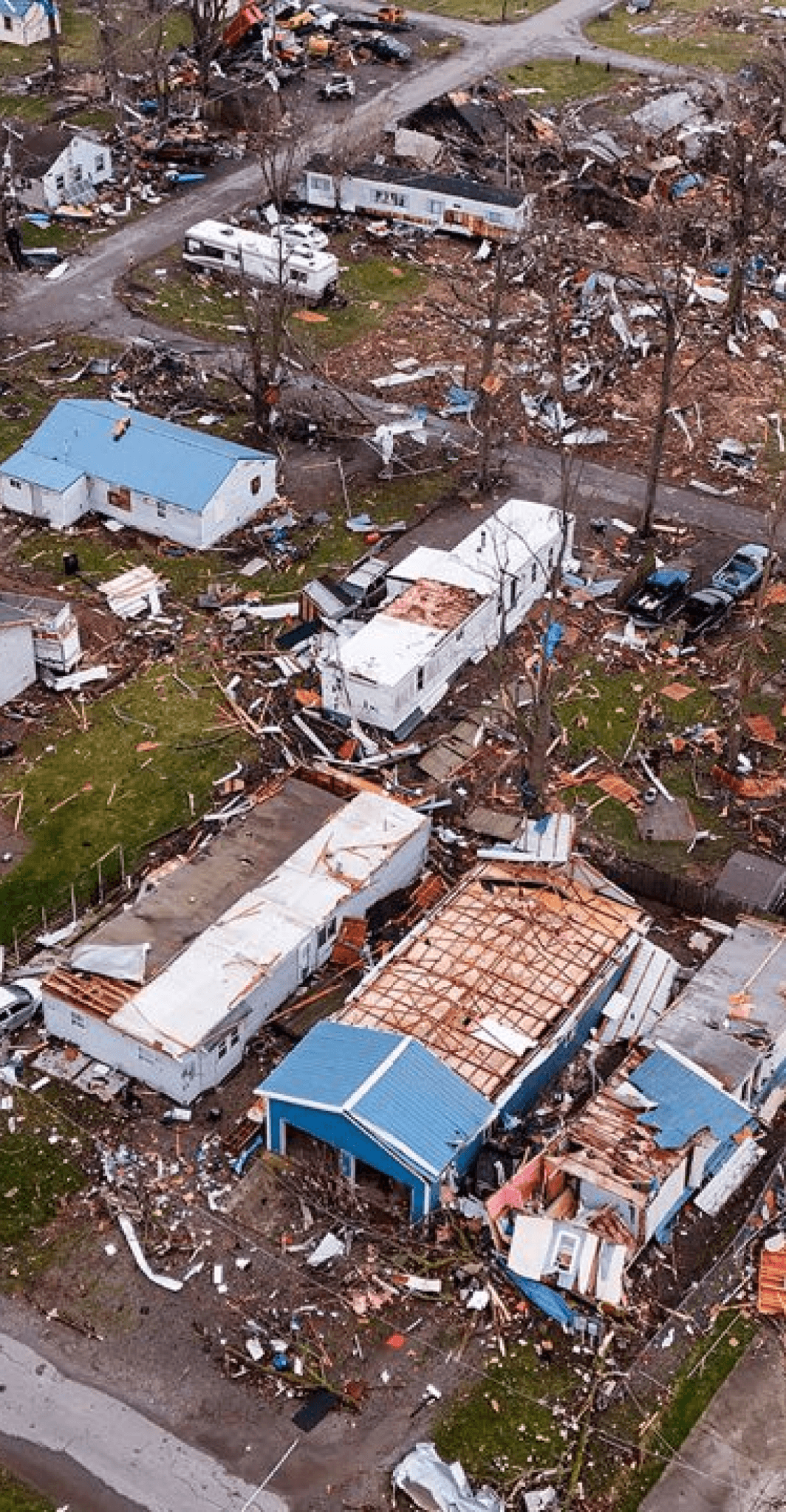
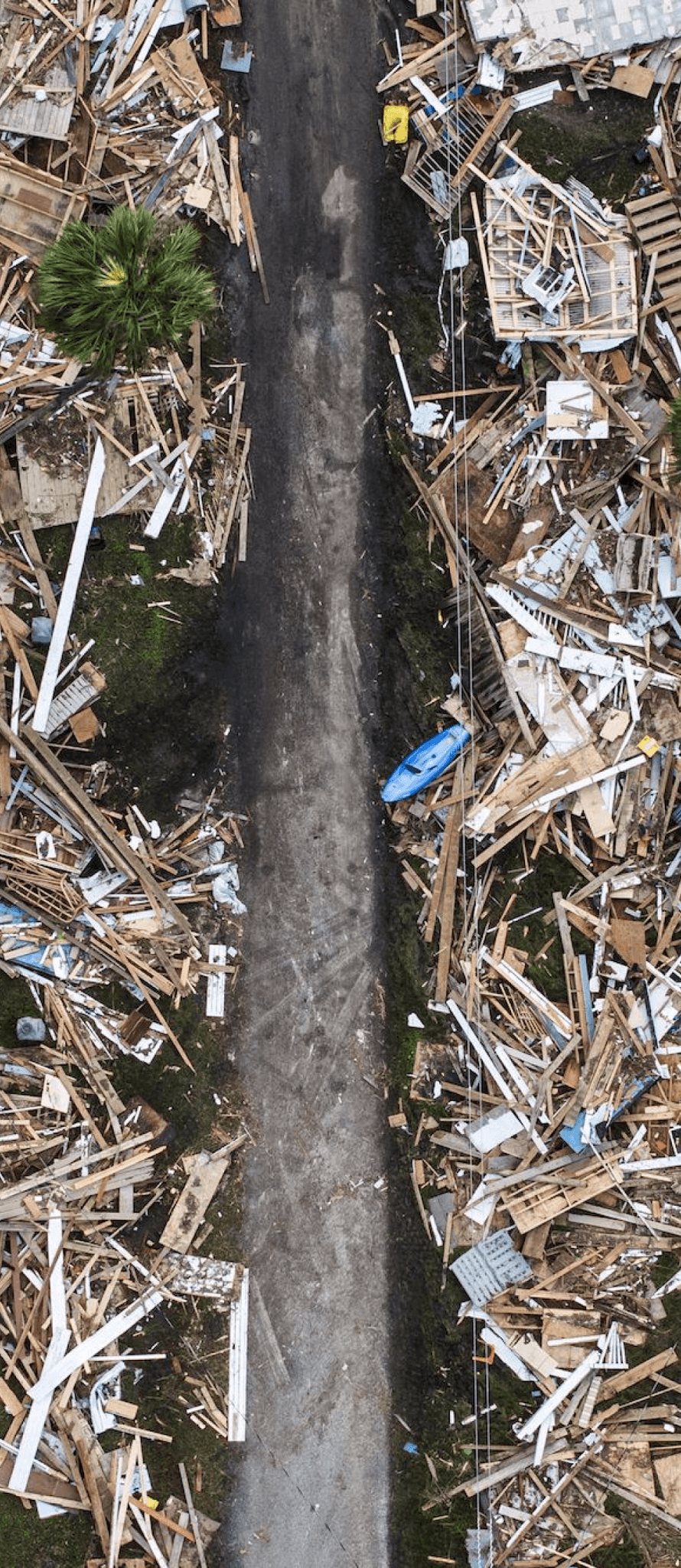
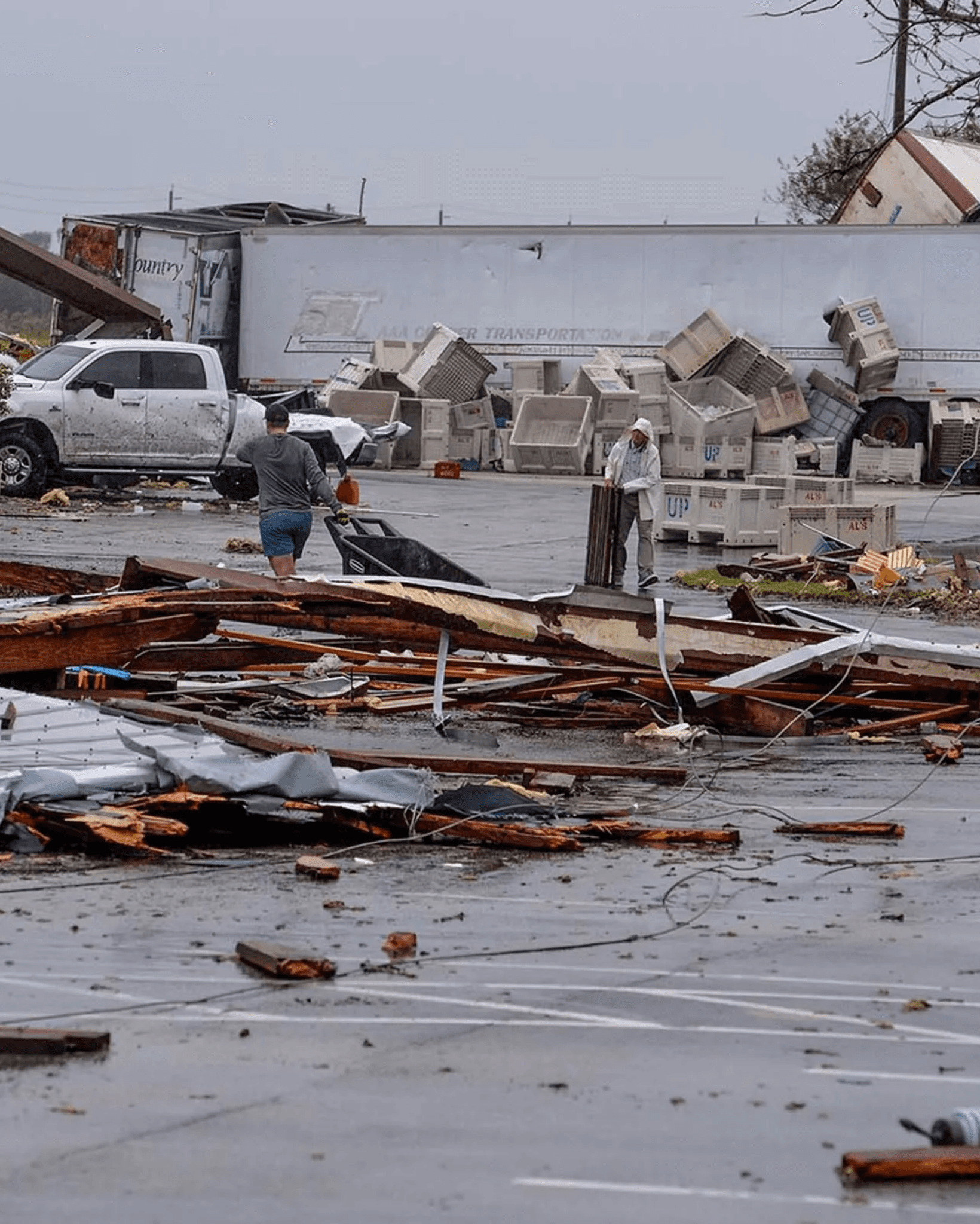
This design project was inspired by the natural disasters of 2024 in the U.S., where communities faced significant challenges accessing essential resources for evacuation, shelter, and recovery. HOPELINE was created to address these difficulties, offering a community-focused solution that provides critical information and resources at people’s fingertips to foster resilience and support during crises.

This design project was inspired by the natural disasters of 2024 in the U.S., where communities faced significant challenges accessing essential resources for evacuation, shelter, and recovery. HOPELINE was created to address these difficulties, offering a community-focused solution that provides critical information and resources at people’s fingertips to foster resilience and support during crises.

This design project was inspired by the natural disasters of 2024 in the U.S., where communities faced significant challenges accessing essential resources for evacuation, shelter, and recovery. HOPELINE was created to address these difficulties, offering a community-focused solution that provides critical information and resources at people’s fingertips to foster resilience and support during crises.

Indian Lake, OH Tornado
03/2024

Indian Lake Tornado
03/2024

Hurricane Helene
09/2024

Hurricane Helene
09/2024

Hurricane Milton
10/2024

Hurricane Milton
10/2024

Orange County Wildfires
11/2024

Orange Co. Wildfires
11/2024

Process

Based on Google's UX Design Certificate

Based on Google's UX Design Certificate

Empathize

This phase focused on gathering insights by researching user experiences during natural disasters, analyzing challenges to identify key needs and pain points, and considering constraints like offline accessibility, cognitive load, and battery life

This phase focused on gathering insights by researching user experiences during natural disasters, analyzing challenges to identify key needs and pain points, and considering constraints like offline accessibility, cognitive load, and battery life

This phase focused on gathering insights by researching user experiences during natural disasters, analyzing challenges to identify key needs and pain points, and considering constraints like offline accessibility, cognitive load, and battery life

Secondary Research

Research for this project focused on understanding challenges faced during the 2024 natural disasters in the U.S.. This involved gathering insights through vlogs, articles, and other firsthand accounts to identify common themes and user pain points.


These quotes are synthesized from insights gathered during research. These insights served as a foundation for for creating user personas, defining key app features, and ensuring the design addressed real-world needs.

Research for this project focused on understanding challenges faced during the 2024 natural disasters in the U.S.. This involved gathering insights through vlogs, articles, and other firsthand accounts to identify common themes and user pain points.


These quotes are synthesized from insights gathered during research. These insights served as a foundation for for creating user personas, defining key app features, and ensuring the design addressed real-world needs.

“Major roads are blocked by fallen trees, no way to know if we can get through.”

“Major roads are blocked by fallen trees, no way to know if we can get through.”

“Gas lines are long, and half the stations are out of fuel.”

“Gas lines are long, and half the stations are out of fuel.”

“We've been without power for days, and we have no way to call for help.”

“We've been without power for days, and we have no way to call for help.”

“Local businesses are giving out free food, it's the only way some of us are eating.”

“Local businesses are giving out free food, it's the only way some of us are eating.”

“Shelters are packed, and hotels won't take anyone because there's no water.”

“Shelters are packed, and hotels won't take anyone because there's no water.”

“Evacuation orders came, but roads are blocked and there's no power. We're stuck.”

“Evacuation orders came, but roads are blocked and there's no power. We're stuck.”

Design Considerations

The design took into consideration 3 critical factors to ensure usability and feasability during emergencies. These considerations shaped the app’s features and interface to meet users’ needs effectively.

The design took into consideration 3 critical factors to ensure usability and feasability during emergencies. These considerations shaped the app’s features and interface to meet users’ needs effectively.

The design took into consideration 3 critical factors to ensure usability and feasability during emergencies. These considerations shaped the app’s features and interface to meet users’ needs effectively.

01

Offline Accessibility

In a real-world application, it would be essential for critical features to be preloaded before connectivity is lost.

02

Cognitive Load

The design has to balance providing detailed information while avoiding overwhelming users.

03

Limited Battery Life

The design must be lightweight, to ensure the app will run smoothly, even on low battery.

Define

This phase involved creating user personas, identifying essential features for the app, developing the information architecture.

This phase involved creating user personas, identifying essential features for the app, developing the information architecture.

User Personas

From the research, I developed three user personas, representing key user groups, their goals, challenges, and needs during natural disaster emergencies.

From the research, I developed three user personas, representing key user groups, their goals, challenges, and needs during natural disaster emergencies.

From the research, I developed three user personas, representing key user groups, their goals, challenges, and needs during natural disaster emergencies.

Sarah

  • 32-year-old single mom with a 5-year-old child

  • Limited evacuation options due to financial constraints

  • She needs a safe, nearby shelter

Mark

  • 50-year-old man with his wife and two dogs

  • Blocked roads, fuel shortages, unsure of the best route

  • He needs to find a safe evacuation route

George

  • 74-year-old man living alone

  • Unable to evacuate due to limited mobility

  • He needs to stay safe and connect with emergency services if necessary

Key Features

Based on the user personas, I identified 3 key features that HOPELINE needed to support seamlessly.

Based on the user personas, I identified 3 key features that HOPELINE needed to support seamlessly.

Based on the user personas, I identified 3 key features that HOPELINE needed to support seamlessly.

1. Finding Shelters

Locating nearby shelters and checking for availability.

2. Route Safety

Receiving real-time updates on blocked or hazardous roads.

3. Essential Resources

Finding fuel stations, grocery stores, and medical facilities.

Information Archtitecture
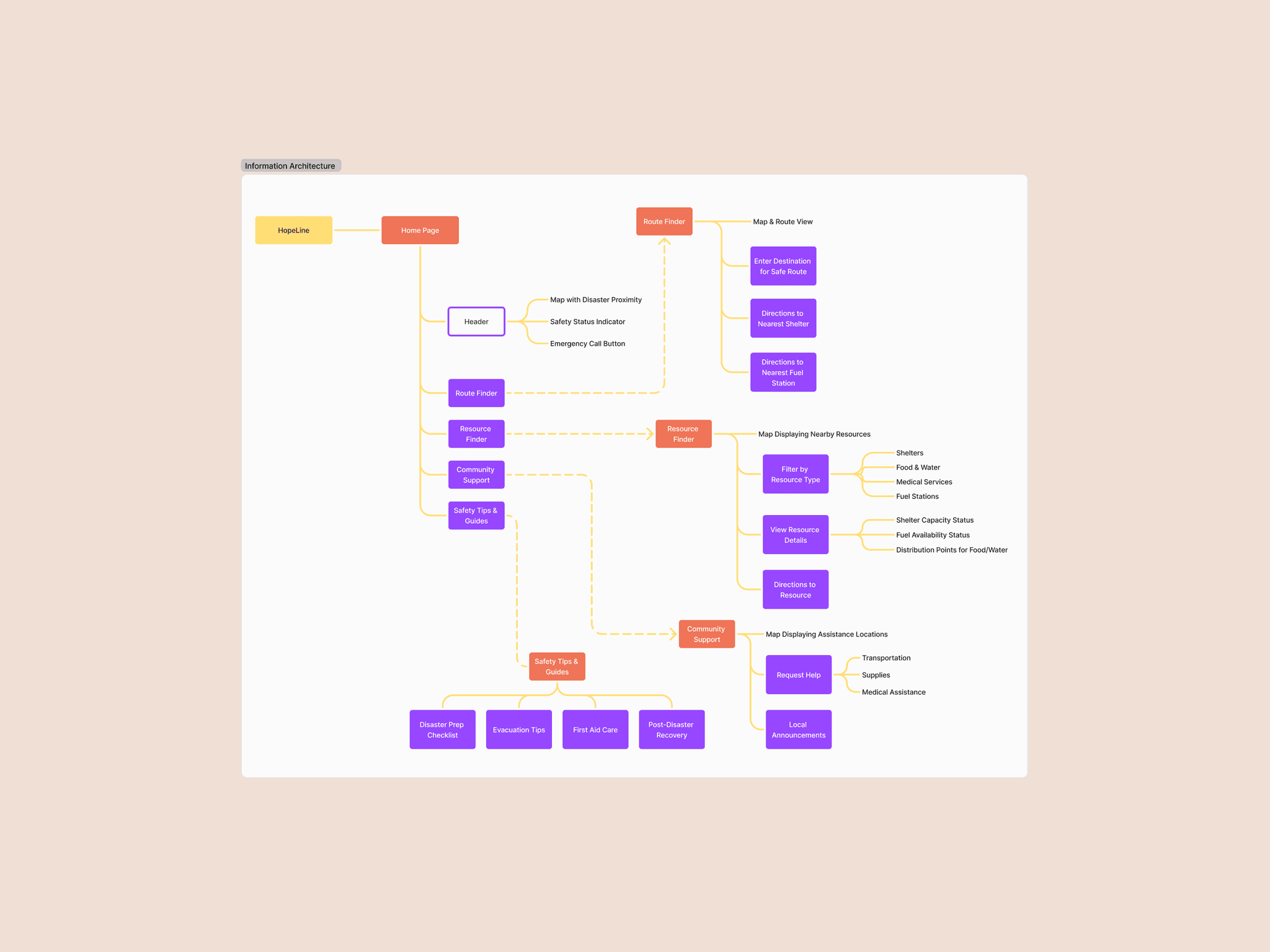
I created the information architecture to organize the app’s content and define its structure, ensuring intuitive navigation. This process involved prioritizing key user tasks and features, establishing a clear flow to make essential information easily accessible during emergencies.

I created the information architecture to organize the app’s content and define its structure, ensuring intuitive navigation. This process involved prioritizing key user tasks and features, establishing a clear flow to make essential information easily accessible during emergencies.

I created the information architecture to organize the app’s content and define its structure, ensuring intuitive navigation. This process involved prioritizing key user tasks and features, establishing a clear flow to make essential information easily accessible during emergencies.

Information Architecture

Ideate

I brainstormed design solutions by integrating the 3 key features outlined in the define phase. I leveraged the information architecture to guide the ideation process, ensuring a clear design direction.

I brainstormed design solutions by integrating the 3 key features outlined in the define phase. I leveraged the information architecture to guide the ideation process, ensuring a clear design direction.

I brainstormed design solutions by integrating the 3 key features outlined in the define phase. I leveraged the information architecture to guide the ideation process, ensuring a clear design direction.

Prototype

I developed low-fidelity wireframes to explore the app’s layout and interactions. These were then refined into high-fidelity mockups and an interactive prototype, with a focus on a clear, intuitive interface that enables users to make quick, informed decisions during an emergency.

I developed low-fidelity wireframes to explore the app’s layout and interactions. These were then refined into high-fidelity mockups and an interactive prototype, with a focus on a clear, intuitive interface that enables users to make quick, informed decisions during an emergency.

I developed low-fidelity wireframes to explore the app’s layout and interactions. These were then refined into high-fidelity mockups and an interactive prototype, with a focus on a clear, intuitive interface that enables users to make quick, informed decisions during an emergency.

Wireframes

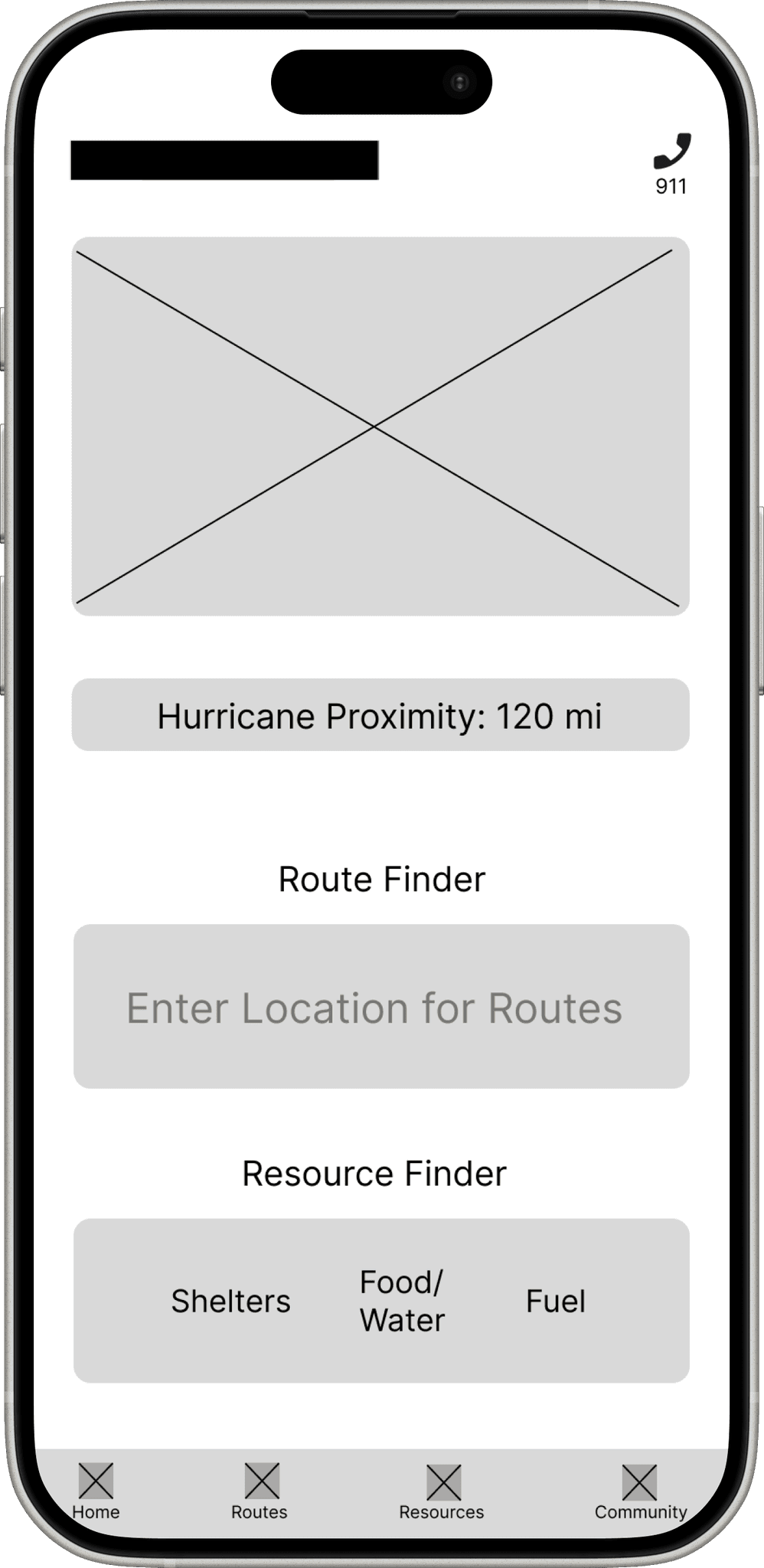
The wireframes for HOPELINE outline the app’s structure and layout, focusing on simplicity and usability during high-stress situations.

The wireframes for HOPELINE outline the app’s structure and layout, focusing on simplicity and usability during high-stress situations.

The wireframes for HOPELINE outline the app’s structure and layout, focusing on simplicity and usability during high-stress situations.

This is the wireframe for HOPELINE’s main page, designed to provide users with quick access to all critical information during a disaster. It includes features such as the distance to the nearest disaster zone, quick links to shelters, food, fuel, and the fastest evacuation route with directions. The layout ensures immediate access to essential resources in high-stress situations.

This is the wireframe for HOPELINE’s main page, designed to provide users with quick access to all critical information during a disaster. It includes features such as the distance to the nearest disaster zone, quick links to shelters, food, fuel, and the fastest evacuation route with directions. The layout ensures immediate access to essential resources in high-stress situations.

This is the wireframe for HOPELINE’s main page, designed to provide users with quick access to all critical information during a disaster. It includes features such as the distance to the nearest disaster zone, quick links to shelters, food, fuel, and the fastest evacuation route with directions. The layout ensures immediate access to essential resources in high-stress situations.

Wireframe

Prototype

An interactive prototype was created based on the wireframes, bringing the app’s structure and layout to life for user feedback and refinement.

An interactive prototype was created based on the wireframes, bringing the app’s structure and layout to life for user feedback and refinement.

An interactive prototype was created based on the wireframes, bringing the app’s structure and layout to life for user feedback and refinement.

Prototype

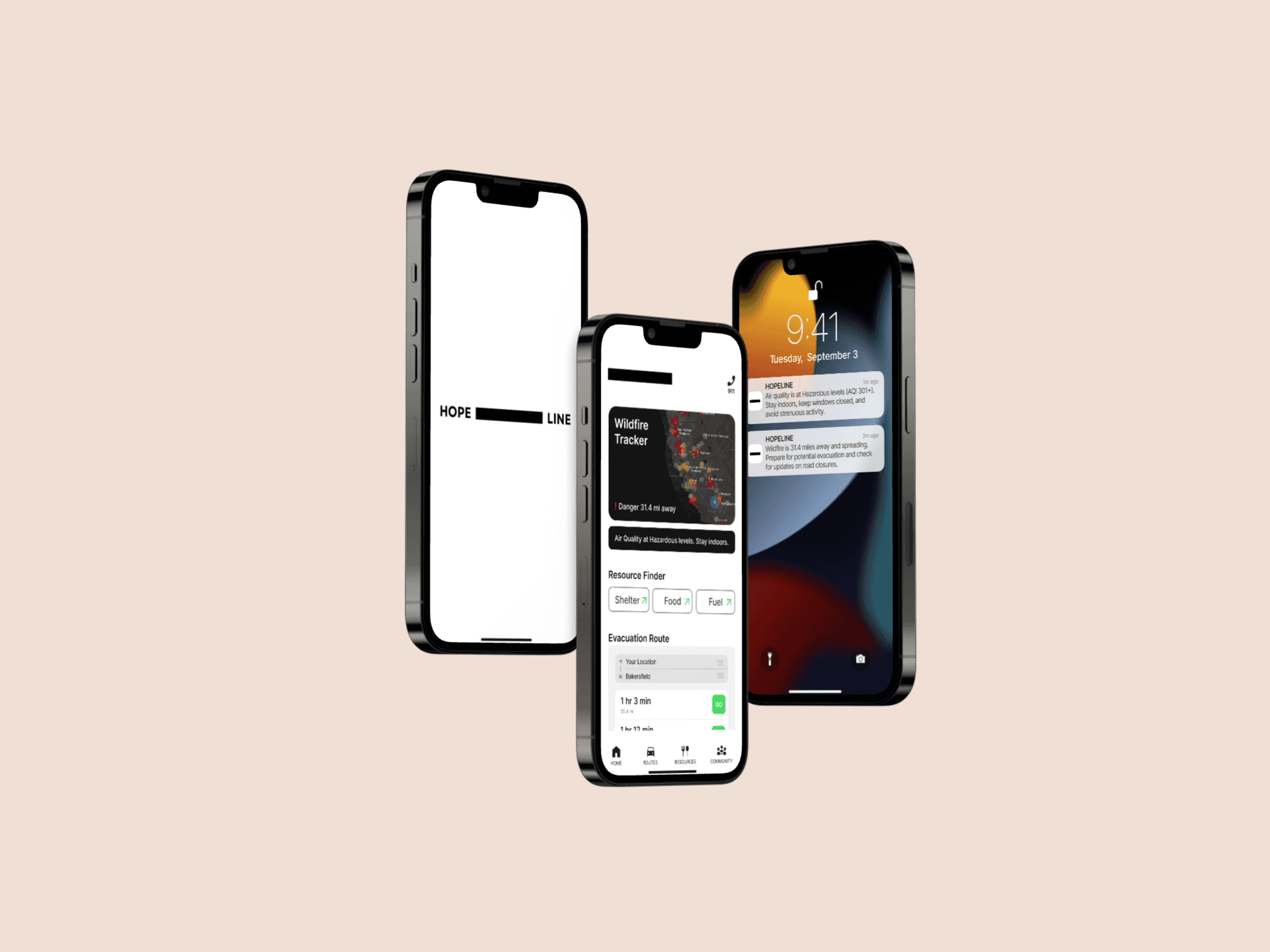
This prototype demo for HOPELINE includes notifications on the lock screen, a splash screen, and directs users to the main page, showcasing features such as the nearest disaster zone, quick links to shelters, food, fuel, and evacuation routes. It represents the initial user interaction with the app.

This prototype demo for HOPELINE includes notifications on the lock screen, a splash screen, and directs users to the main page, showcasing features such as the nearest disaster zone, quick links to shelters, food, fuel, and evacuation routes. It represents the initial user interaction with the app.

Test

Although formal testing wasn't conducted, I refined the design based on best practices for user-centered design and usability. The final prototype emphasizes real-time updates, easy navigation, and offline access, providing users with immediate access to shelters, safe routes, and essential resources.

Although formal testing wasn't conducted, I refined the design based on best practices for user-centered design and usability. The final prototype emphasizes real-time updates, easy navigation, and offline access, providing users with immediate access to shelters, safe routes, and essential resources.

Although formal testing wasn't conducted, I refined the design based on best practices for user-centered design and usability. The final prototype emphasizes real-time updates, easy navigation, and offline access, providing users with immediate access to shelters, safe routes, and essential resources.

Conclusion

The design of the HOPELINE app focuses on simplicity, providing clear access to critical resources like shelters, route safety, and essential supplies. Throughout the process, I realized that during natural disasters, many constraints can occur—such as limited internet access or low battery—so it’s essential to design with these in mind.

Following the design process from the Google UX Design Certificate helped me gain a deeper understanding of the user. Instead of jumping straight to solutions, I focused on first empathizing with the users' challenges and design based on their real needs and context, ensuring the app would truly help in a crisis.
© 2025 | Elizabeth Kovaltchouk

© 2025 | Elizabeth Kovaltchouk

© 2025 | Elizabeth Kovaltchouk